
Getting Started in Tornado Interceptor Lab
Your first hour in Arvexa’s Beta — from empty bay to a tornado that pays.
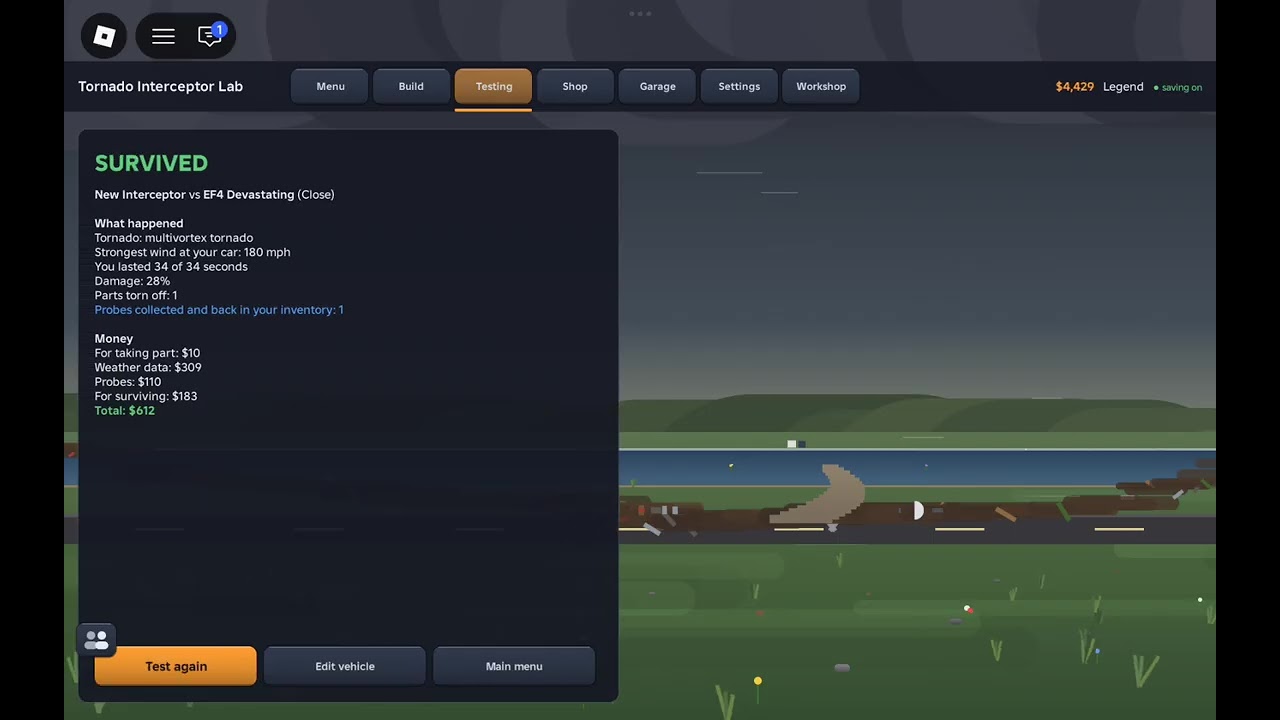
Welcome to Tornado Interceptor Lab [Beta] by Arvexa studio. This free Roblox Simulation / Vehicle Sim asks you to design armored interceptors, drive them into EF-rated tornadoes, and cash out parts for the next iteration. Servers hold up to 10 players, the place has been live since 4 November 2026, and peaks often sit around 2–5k concurrent with ~1.69M visits already on the board.
This guide is your onboarding spine. It links every core system without assuming lobby slang. When you finish, you should leave the lab in a low vehicle whose flaps can cover the wheels, survive a mid-tier intercept, and know where to study next.
Minute 0–10: load in and look around
- Launch from the official Roblox place.
- Skim on-screen prompts; note where the lab editor, deploy, and HUD meters live.
- Open Controls in a second tab if keybinds feel opaque.
- Ignore code spam — the Codes Hub confirms no verified public promos yet.
- Avoid executors on day one; read Scripts later if curious, not before you can build.
Minute 10–30: first legal interceptor
Follow the community build order echoed by creators like OperaXD:
- Place at least two wheels — fewer and you are building modern art, not an interceptor.
- Draw body and window lines so the shell has intentional panels.
- Fill with armour using the spray tools; enable bucket fill so clicks auto-fill volumes instead of painting speckles.
- Add glass where windows belong.
- Install an engine so the machine actually drives.
- Slot starter equipment if affordable — Mesonet-style sensors and a camera turret teach data and filming habits early.
Deep technique lives in How to Build. Before you deploy, run the Parts Checklist.
The tip that saves your Beta
Keep the vehicle low. Deployed flaps should cover the wheels. Players repeat this constantly because it is worth roughly +30–50 wind threshold versus a taller twin. Details: Flaps Deployment.
Minute 30–50: first intercepts
- Deploy into a modest EF rating — do not open on a player-reported EF6 ~261+ mph flex.
- Approach with a plan from How to Intercept: angle, flap timing, exit route.
- Cash out parts, repair, note what bent.
- Resist tall Dominator clones until you understand spikes versus coverage — see Interceptor Builds.
Watch real Beta gameplay
Mid-article, study a real Tornado Interceptor Lab session. Pause on ride height, flap timing, and when the driver aborts. For the dedicated Cad 1 prototype OperaXD chase (owner XXpro-u5k, often blue), open Cad 1 Prototype — that spotlight now carries the Cad-focused embed.
Hour 1 goals checklist
- Two-plus wheels, filled armor, glass, engine installed
- Ride height low enough for flap-over-wheel coverage
- At least one successful mid-EF cash return
- Repairs funded without rage-rebuilding a show car
- Bookmark Guides Hub, Tier List, and Updates
What not to do on day one
- Do not lift the chassis for “monster truck” vibes.
- Do not skip armor fill because paint looked done.
- Do not trust random “working codes” lists.
- Do not paste command-menu loadstrings from strangers (Command Menu explains why).
- Do not block co-op chasers in full lobbies — communicate.
Next reads by ambition
| Goal | Open |
|---|---|
| Cleaner lab craft | How to Build, Paint & Customize |
| Better storm lines | How to Intercept, Controls |
| Higher EF | Threshold Survival, Flaps Deployment |
| Meta targets | Interceptor Builds, Players Hub |
| Patch awareness | Beta Launch |
Tornado Interceptor Lab rewards iteration. Your first brick will look embarrassing next to a polished Cad — that is the point. Lower it, cover the wheels, come home with cash, and unlock the fun of designing something that scares the wind back.
Frequently Asked Questions
Quick answers for interceptor builds, flaps, and tornado intercepts.
Is Tornado Interceptor Lab free?
Yes. It is a free Roblox experience from Arvexa studio in early-access Beta.
What should I build first?
A low, well-armored flap tank with at least two wheels, filled armor, glass, and an engine — not a tall show car.
Why does the guide mention Cad 1?
Cad 1 Prototype is a popular community vehicle featured in real OperaXD footage, useful as a visual benchmark.
Are there beginner codes?
No verified public promo codes are available yet. Progress with intercepts and smart builds instead.
How many players can share a server?
Up to 10 players in online co-op sessions.